
AutoCAD 2D & 3D
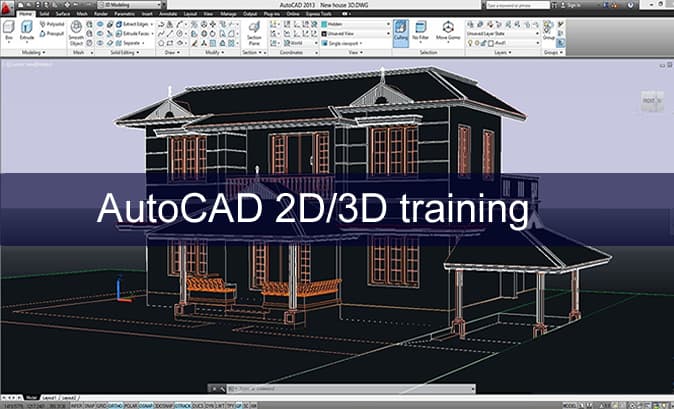
Master Professional Design with AutoCAD 2D & 3D
AutoCAD is the world’s leading computer-aided design (CAD) software, used by architects, engineers, construction professionals, and designers to create precise 2D drawings and 3D models. Learning AutoCAD opens doors to high-demand careers in industries like architecture, mechanical engineering, interior design, and manufacturing.
This comprehensive course is designed to take you from beginner to proficient user, empowering you to create, edit, and annotate detailed technical drawings with confidence and precision.
Why Learn AutoCAD?
Industry Standard: Used globally by professionals in architecture, engineering, construction, and manufacturing.
High Job Demand: AutoCAD skills are highly valued and often required for technical and design roles.
Precision and Efficiency: Create accurate and scalable designs faster than with manual drafting.
Versatility: Used for architectural plans, mechanical parts, electrical diagrams, interior layouts, and more.
What You Will Learn:
Module 1: AutoCAD 2D Drafting
Introduction to AutoCAD: Interface, workspaces, and basic commands.
Drawing Tools: Lines, circles, arcs, polygons, polylines, and splines.
Modifying Objects: Move, copy, rotate, mirror, scale, trim, and extend.
Layers and Properties: Organizing drawings with layers, colors, and linetypes.
Annotations: Adding text, dimensions, leaders, and tables.
Blocks and Attributes: Creating reusable symbols and dynamic blocks.
Layouts and Plotting: Setting up viewports, scales, and printing/exporting drawings.
Module 2: AutoCAD 3D Modeling
Introduction to 3D Workspace: Navigating 3D environment and views.
Solid Modeling: Creating 3D primitives (box, cylinder, sphere, etc.).
Editing in 3D: Extrude, revolve, sweep, loft, and Boolean operations.
Surface and Mesh Modeling: Creating and modifying complex surfaces.
Rendering and Visualization: Applying materials, lights, and cameras for realistic presentations.
Converting 2D to 3D: Turning 2D sketches into 3D models.
Module 3: Practical Applications
Architectural Drafting: Floor plans, elevations, and sections.
Mechanical Design: Machine parts, assemblies, and technical schematics.
Collaboration Tools: XRefs, sharing files, and working with teams.
Real-World Projects: Hands-on exercises simulating industry tasks.
Who Is This Course For?
Aspiring architects, civil/mechanical engineers, and interior designers.
Students and professionals looking to add CAD skills to their resume.
Drafters, technicians, and hobbyists interested in technical design.
Anyone seeking a career in design, construction, or manufacturing.
Career Opportunities:
CAD Draftsperson
Architectural Designer
Mechanical Design Engineer
Interior Space Planner
BIM Technician
Construction Detailer
Course Features:
Hands-On Training: Live projects and practical exercises.
Industry-Relevant Skills: Learn tools and techniques used by professionals.
Certification Prep: Get ready for AutoCAD certification exams.
Flexible Learning: Online or in-person classes with experienced instructors.
Certificate of Completion: Boost your resume with a recognized credential.
Course Details:
Duration: 8–10 Weeks
Level: Beginner to Advanced
Software Access: Provided during lab hours
Prerequisites: Basic computer skills; no prior CAD experience required.
Ready to design your future?
🛠️ Enroll now and start creating professional-grade designs with AutoCAD!
[Register Today] • [Download Syllabus] • [Contact Us]